 IUX
IUX
 Exness
 Vantage
 XM
XM
 ICMarkets
 LiteFinance
 Moneta
 Tickmill
 South Africa (9)
 India (9)
 Bangladesh (12)
 Germany (9)
 Thailand (10)
 Philippines (9)
 Nigeria (10)
 Vietnam (10)
 Malaysia (9)





How to Start Trading on XM?



Share:
Share:
Broker
8 min read
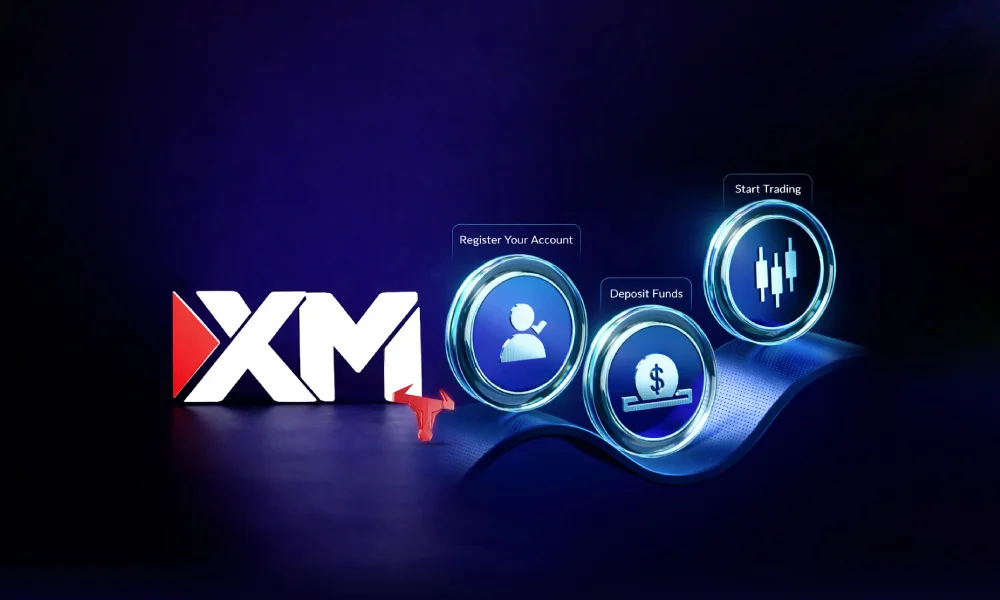
XM has been operating since 2009 and now serves more than 15 million clients across 190+ countries. The $5 minimum deposit and straightforward registration make it one of the more accessible brokers for anyone starting out in forex and CFD trading.
This walkthrough covers account selection, funding, platform setup, and placing an actual trade, with the facts checked directly against XM's official site.
Is XM Regulated and Safe?
XM holds licences from multiple financial authorities: CySEC (Cyprus, licence 120/10), ASIC (Australia), DFSA (Dubai, granted late 2025), FSCA (South Africa), and FSC (Belize).
For a full breakdown of what each licence means for your account, see the dedicated guide on is XM regulated. Client funds are held in segregated accounts at tier-one banks, entirely separate from XM's operational capital.
Negative balance protection applies across all account types, and deposits and withdrawals run through SSL encryption. European clients under CySEC are additionally covered by the Investor Compensation Fund up to EUR 20,000.
XM Account Types
| Account | Min. Deposit | Spreads | Commission | Suited For |
|---|---|---|---|---|
| Micro Account | $5 | 1.6 pips | No | Beginners, small capital |
| Standard Account | $5 | 1.6 pips | No | General retail traders |
| Ultra Low Account | $5 | 0.6 pips | No | Scalpers, cost-focused |
| Zero Account | $5 | 0.0 pips | Yes (per side) | Active day traders |
| Shares Account | $10,000 | Market rate | Commission | Real stock investors |
| Islamic Account | Varies | Same as base | None added | Sharia-compliant trading |
Micro and Standard carry identical spreads and no commission. The only difference is position size: one Micro lot equals 1,000 units, while one Standard lot equals 100,000 units. Ultra Low cuts average spread costs roughly in half versus Standard, making it the go-to for traders who open multiple positions per session.
The Zero account offers the tightest spreads but charges a commission per side, which suits traders who want fully transparent, predictable costs. The Shares account is a separate category with a $10,000 entry point for direct stock ownership.
Muslim traders seeking swap-free conditions should review the guide to open an Islamic account at XM before registering.
| TopAsiaFX Note If you are unsure where to begin, the Standard account covers the most ground. It qualifies for all available XM bonuses by region, has no position size caps that would limit growth, and carries the same $5 minimum as Micro. |
Opening Your XM Account
- Register at xm.com. Fill in your name, email, phone, country, and date of birth, then click 'Open a Real Account'.
- Choose account type, base currency, platform, and leverage. MT4 and MT5 are both available. Leverage runs from 1:1 up to 1:1000 depending on your regulatory jurisdiction. European clients are capped at 1:30 on forex under ESMA rules.
- Complete the financial questionnaire. A regulatory requirement, not optional.
- Verify your identity. Submit a government-issued photo ID and a proof of address document dated within the last three months. For a full list of accepted documents, see the guide to XM account verification documents. Verification typically clears within 24 to 48 hours.
- Deposit and trade. Once verified, add funds and your account is ready.
Funding Your Account
For a full walkthrough of every payment method, processing time, and deposit rule, the XM broker deposit guide covers everything step by step. Here is a quick reference:
| Method | Speed | Notes |
|---|---|---|
| Credit / Debit Card | Instant | Visa and Mastercard |
| Bank Wire | 1 to 3 business days | Fee applies on amounts below $200 |
| Skrill / Neteller | Instant | Popular across Asia and the Middle East |
| Local Methods | Varies by country | Country-specific options where available |
XM charges no internal deposit fees. Withdrawals are processed within one business day. Two fees worth knowing upfront: bank wire withdrawals below $200 carry an undisclosed charge, and USDT crypto withdrawals below $300 incur a flat $15 fee. Accounts inactive for 12 months are charged a one-time $15 fee, then $10 per month until the balance reaches zero.
For the complete picture of what XM charges on the way out, see the guide to XM withdrawal process and fees.
MT4 vs MT5
Choosing between platforms affects the tools available to you throughout your trading. For a deeper comparison tailored to XM specifically, the guide to MT4 vs MT5 on XM covers the key differences in detail.
Here is a quick side-by-side:
| Feature | MT4 | MT5 |
|---|---|---|
| Chart Timeframes | 9 | 21 |
| Order Types | 4 | 6 |
| Indicators | 30 | 38 |
| EA Community | Very large | Growing |
| Best For | Forex-focused traders | Multi-asset traders |
MT4 remains the more widely used of the two, particularly for forex-specific traders who rely on its established Expert Advisor ecosystem. MT5 suits traders who move across stocks, commodities, and currency pairs, given its broader built-in toolset.
Both platforms are available on desktop, web browser, and mobile. XM has also integrated TradingView charts into its interface, which is a useful addition for traders who prefer TradingView's analysis tools.
Placing Your First Trade
Step 1: Log In and Open a Chart
Open MT4 or MT5 and enter the login credentials from your registration email. Make sure to select the correct server listed in that same email. In the Market Watch panel, find your chosen instrument, right-click it, and select 'Chart Window' to pull up a live price chart.
Step 2: Read the Market Before You Enter
Look at the chart before placing anything. Identify the broader price direction, any clear support or resistance levels nearby, and check whether any major economic announcements are scheduled that could move the market. Entering a trade without this basic read is the most common and costly mistake at the start.
Step 3: Set Up and Submit the Order
Press F9 or right-click the chart and select 'New Order'. Set your lot size, stop loss, and take profit levels before clicking Buy or Sell. A stop loss is not optional. Always define your maximum acceptable loss on the trade before entering. XM executes 99.35% of orders in under one second with no requotes.
Step 4: Monitor and Close the Position
Open trades appear in the Terminal window at the bottom of the screen (Ctrl+T if not visible). You can adjust your stop loss or take profit at any point while the trade is live. To close manually, right-click the position in the Terminal and select 'Close Order'.
| TopAsiaFX Note XM publishes free daily technical analysis covering major forex pairs, indices, and commodities, updated each morning before the European session. Available at xm.com without any login. Useful reference before you place trades for the day. |
Risk Management Basics
Getting the basics of risk management right from day one protects your capital while you are still learning. For a structured approach that goes beyond these basics, the full guide to forex risk management steps is worth working through before you go live.
- Cap your exposure at 1% to 2% of account balance per trade. At that level, 10 consecutive losing trades still leaves 80% of your capital intact.
- Set a stop loss before clicking Buy or Sell, every time. A position without one is an unmanaged exposure.
- High leverage is not an advantage by default. At 1:100, a 1% adverse move wipes the full margin on that position.
- Test any strategy on XM demo account for at least four weeks before using real capital. Conditions change, and two weeks of demo results are not enough data.
Full Fee Summary
| Fee | Amount | When |
|---|---|---|
| Spreads (Standard / Micro) | From 1.6 pips | Every trade |
| Spreads (Ultra Low) | From 0.6 pips | Every trade |
| Spreads (Zero) | From 0.0 pips + commission | Every trade |
| Overnight Swap | Varies by instrument | Positions held past 5 PM EST |
| Deposit Fee | No | XM does not charge to deposit |
| Bank Wire Withdrawal < $200 | Undisclosed | Small wire withdrawals only |
| USDT Crypto Withdrawal < $300 | $15 flat | ERC20 or Omni only |
| Inactivity (Month 12 onwards) | $15 one-time, then $10 per month | After 12 months with no activity |
| US Stock CFD Commission | $0.04 per share (min $1) | Each US stock CFD trade |
| UK Stock CFD Commission | 0.10% (min $9) | Each UK stock CFD trade |
A Sensible Starting Sequence
- Open a XM demo account first. Get comfortable with the platform and order entry before any real capital is involved.
- Focus on one or two markets rather than spreading across everything. Depth beats breadth at the start.
- Test your strategy on demo for at least a month across different market conditions before going live.
- Start live with the smallest deposit you are comfortable losing entirely. Early mistakes should cost as little as possible.
- Keep lot sizes small. The objective in the first months is staying in the market long enough to learn, not generating returns.
- Review every trade you close. A short log of your entry reason and outcome tells you more about your own patterns than any external guide.
XM's $5 entry deposit, multi-jurisdiction regulation, and range of account structures remove most of the barriers that stop new traders from getting started. The infrastructure is there. What you build on top of it depends entirely on the preparation and discipline you bring to each session.
| TopAsiaFX Note XM does not offer PAMM or MAM accounts. If you are interested in copying experienced traders instead of managing your own positions, see the guide to start copy trading with XM for the full setup process. Also note that PayPal is not accepted, and all deposits must come from payment credentials belonging to the registered account holder. |
F. Nathan
Felix Nathan is a professional trader, market analyst, and business development executive with over a decade of experience in the forex and financial markets. Felix specializes in providing actionable market insights, trading strategies, and risk man...