
 IUX
IUX
 Exness
 Vantage
 XM
XM
 ICMarkets
 LiteFinance
 Moneta
 Tickmill
 South Africa (9)
 India (9)
 Bangladesh (12)
 Germany (9)
 Thailand (10)
 Philippines (9)
 Nigeria (10)
 Vietnam (10)
 Malaysia (9)





How Can I Withdraw Money from XM, and Is It Free?



Share:
Share:
Broker
6 min read

If you trade actively on XM or are thinking of trading with XM, knowing how to withdraw money from your account smoothly is key to managing your profits.
In this comprehensive guide, we will cover various aspects of withdrawing funds on XM. From account verification to withdrawal methods, common withdrawal problems, fee & limit restrictions, and the most asked question – is XM withdrawal free? This guide will help.
Why XM Account Verification is Required Before Withdrawal?
Withdrawal of funds requires account verification; accounts are verified to comply with XM policies. This is to follow global KYC (Know Your Customer) and AML (Anti-money Laundering) policies. These laws are to prevent fraudulent activities and identity theft and to ensure that traders are genuine by verifying their identity.
Verification secures an account from any unauthorized access. If an account is not verified, withdrawal requests can be stalled or denied without prior notice. XM allows document submission that can be done digitally which makes the verification process easy.
Why Verify?
- Complies with international regulations
- Gives full access to trading and withdrawal features
- Protects your account from fraud and hacking
You can also check XM regulatory requirements on Legal Documents page.
Read more: XM Broker Review

What Documents Do You Need To Verify Your XM Account?
XM requires 2 types of documents for verification:
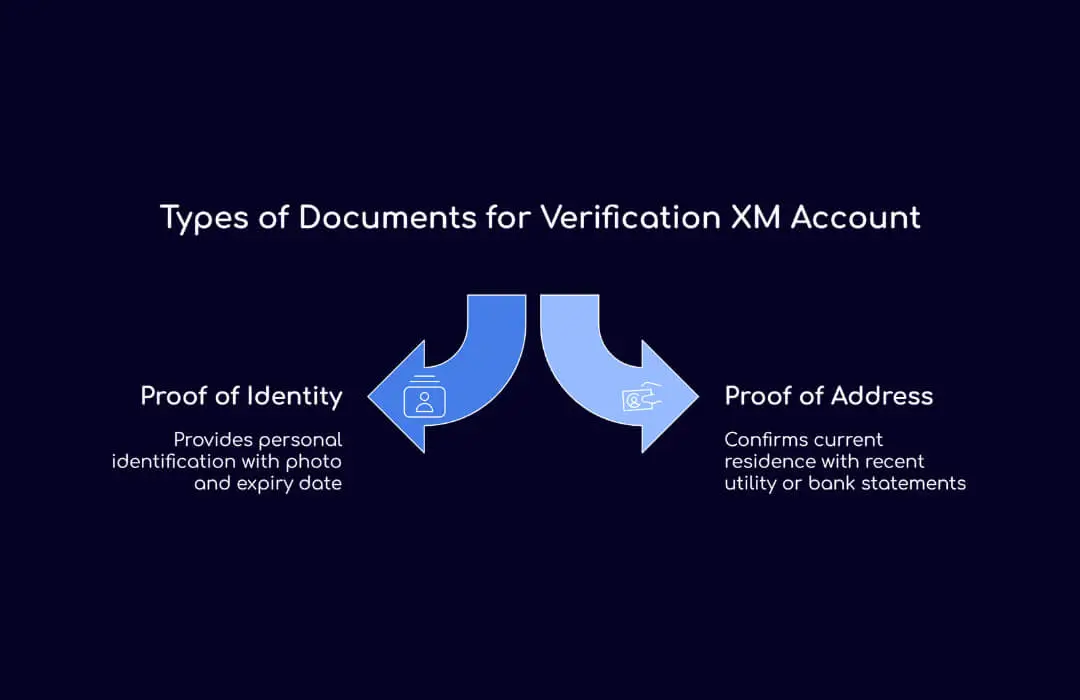
Proof of Identity (POI)
This can be a government-issued ID which includes:
- Passport
- Driver’s License
- National ID Card
The document must show the individual’s name and date of birth and should have an expiry date and a photo of the individual.
Proof of Address (POA)
Newer (not more than 6 months old) documents that reflect a person’s name and full address including but not limited to:
- Utility bills (Electricity, Water, Gas, etc)
- Bank Statement
- Credit Card Statement
How to Submit Your Documents?
- Log in to your XM Members Area.
- Go to the verification section.
- Upload scans or photographs of your POI and POA documents that are clear.
- XM’s document verification time is usually 24 hours but can take up to 5 business days during peak times.
How to Withdraw from XM Account: Step-by-Step Guide
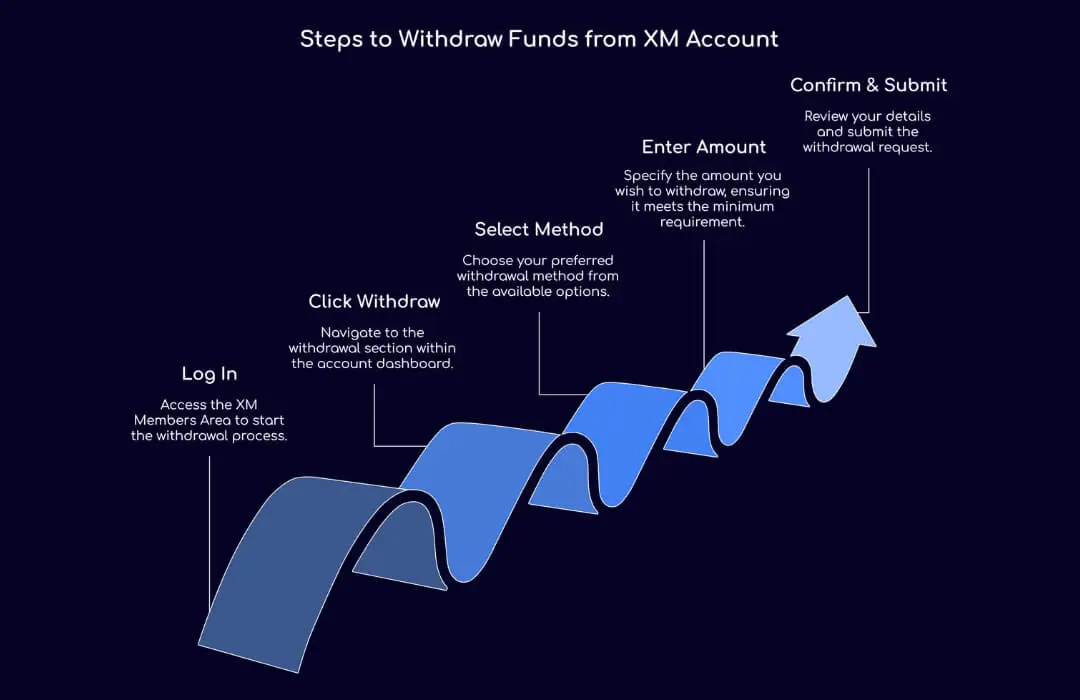
Withdrawals are straightforward after the account is verified:
- Log in to XM Members Area.
- Click Withdraw Funds
- Select the withdrawal method. XM gives you the choice to withdraw through:
- Credit/Debit Cards (Visa, MasterCard)
- E-wallets (Skrill, Neteller)
- Bank Wire Transfer
- Type in the amount. A minimum withdrawal amount (usually 5 dollars) is applicable.
- Confirm and submit.
Depending upon your method, it could take:
- E-wallets (Fastest): Within 24 hours.
- Credit/Debit Cards: From 2 to 5 days.
- Bank Wire Transfers: It takes from 3 to 7 days, depending on the bank.
More details on withdrawal ways and times can be found at the Help Center.
Common XM Withdrawal Problems and Solutions
1. Why did XM deny my withdrawal?
A withdrawal may be denied for the following reasons:
- The verification of your account is incomplete.
- You’re trying to withdraw using a payment method different from the one you used to deposit (a policy to prevent money laundering).
- Insufficient funds or trying to withdraw more than you have.
- The amount you withdrew is less than the minimum allowed.
- Problems with payment processors (e.g. e-wallet account limitations or expired cards).
Solution: Use the same payment method you used for deposits and make sure your account is verified. If you don’t know why your withdrawal was denied, contact XM support.
2. Authorized withdrawal but not received?
It may take longer for the funds to reach your account even if XM authorized your withdrawal due to bank or payment processing delays. Don’t forget to:
- Verify the time frame for the payment method you used.
- Contact your bank or e-wallet provider.
- If you have waited longer than expected, contact XM support.
3. XM Weekend Withdrawal
Withdrawals are only processed by XM on business days. Weekend and holiday requests will be processed the next business day. Most brokers are like this.
Learn more: Withdraw Money from TradersWay.
XM Withdrawal Fees and Limits
"Is XM withdrawal free?" is one of the most asked questions. The simple answer is yes and no:
- XM doesn’t internally charge fees on withdrawals
- However, depending on your location and withdrawal method, third-party fees might apply. Some banks charge fees on incoming wire transfers and e-wallets charge fees for withdrawals.
- Some banks charge fees for bank transfers under $200.
Advice: Always check with your payment processor for fees.
Withdrawal Limits
- $5 is the minimum withdrawal (varies by method).
- Your account type and withdrawal method will determine the maximum withdrawal amount.
- Daily Withdrawal Limits: XM doesn’t have a daily withdrawal limit but some payment methods do.
Can I Withdraw the Free $30 XM Bonus?
The $30 No Deposit Bonus, which allows traders to test the platform without having to deposit, is one of XM’s most popular and generous promotions. But:
- The $30 bonus itself can’t be withdrawn.
- After you meet the requirements you can withdraw any profits you make from trading with the bonus.
Requirements for Bonus Profit Withdrawal
- Make at least 5 trades with 0.1 standard lots or more in volume.
- $5 is the minimum withdrawal.
- After you meet the trading requirements the withdrawal must be made.
Can You Change Your Currency in XM?
When you open an account with XM, you choose the base currency once and for all. So this cannot be changed later on. Know this so you won’t incur conversion fees on deposit and withdrawal transactions if your bank account is in a different currency. So always choose your base currency when registering to avoid these conversion costs.
Related: Open Additional XM Account.
Extra Tips for Easy Withdrawals
- Make sure that your account information is updated so that you won't face verification issues.
- E-wallets like Skrill or Neteller will help you to withdraw faster.
- Before you upload your files for verification, first make sure your documents are clear and your internet is stable.
- Read XM’s terms and withdrawal policy to avoid surprises.
- If you still have withdrawal issues, contact XM’s support team, who are available 24/7.
You might also like:
F. Nathan
Felix Nathan is a professional trader, market analyst, and business development executive with over a decade of experience in the forex and financial markets. Felix specializes in providing actionable market insights, trading strategies, and risk man...