
 IUX
IUX
 Exness
 Vantage
 XM
XM
 ICMarkets
 LiteFinance
 Moneta
 Tickmill
 South Africa (9)
 India (9)
 Bangladesh (12)
 Germany (9)
 Thailand (10)
 Philippines (9)
 Nigeria (10)
 Vietnam (10)
 Malaysia (9)





How to Open XM Additional Account: A Step-by-Step Guide for Rookie Traders



Share:
Share:
Broker
6 min read

Additional accounts are secondary (or third, fourth, and so on) trading accounts opened under the same client profile. An XM client can have up to 8 active accounts. Since you have already verified your first account, you are not required to send in your documents again. Unlike creating a whole new profile, by opening an additional account you can:
- Diversify strategies
- Use different platforms (MT4 vs MT5)
- Trade in various base currencies
- Segregate risk between account types
Note: Being regulated by top-tier regulators, including CySEC, ASIC, and FSC, all types of accounts whether new or additional - are protected by international financial regulations.
For more on XM regulation see Is XM regulated.
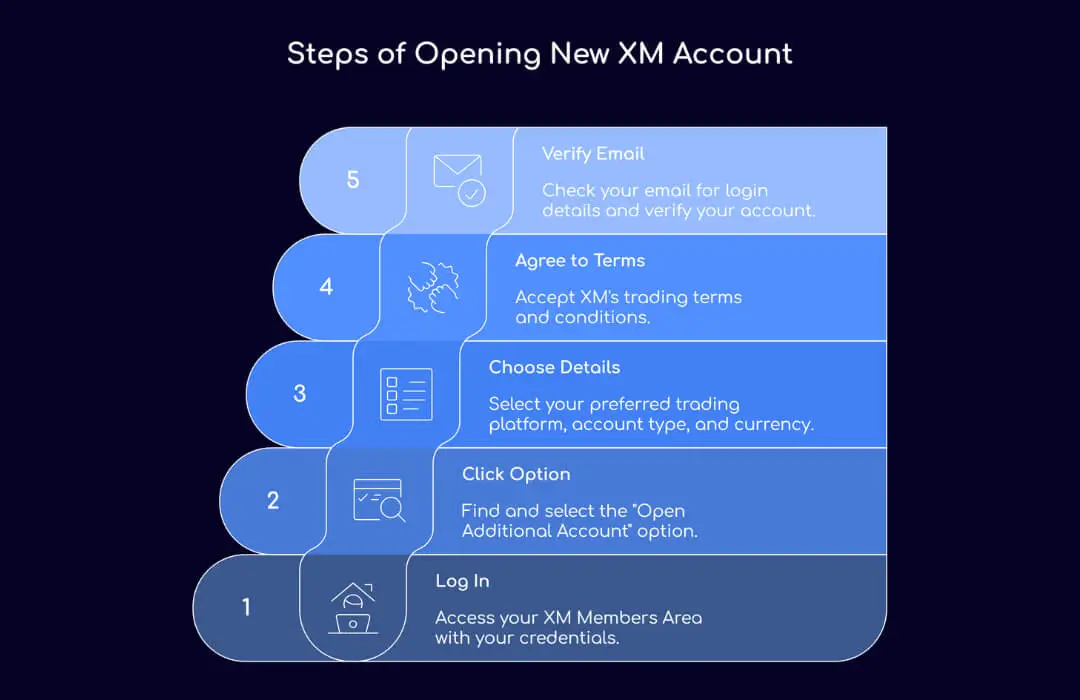
How to Open an Additional XM Account Online? (Step by Step)
Here is the step-by-step process of opening a new XM account under your existing profile.
Step 1: Log in to Your XM Members Area
Go to XM Website and log in with your email and password.
Step 2: Click “Open Additional Account”
In the dashboard look for the option “Open Additional Account”.
Step 3: Choose Platform, Account Type and Currency
Select:
- Trading Platform: MT4 or MT5
- Account Type: Micro, Standard, XM Ultra Low or Shares
- Base Currency: USD, EUR, GBP, etc.
Note: The minimum deposit to XM for a Micro Account is just $5; that’s why it’s perfect for low-risk trading. Check XM’s official account page for full specs.
Step 4: Agree with Terms
Tick to agree with Xm’s trading terms.
Step 5: Submit and Verify Email
You will receive an email with your login details; you then use these details to log into your chosen platform. That’s it-new account is ready to use.
What to Do After Opening an Additional XM Account?
Opening an additional XM account and linking it to your preferred trading platform is where the real trading begins. Once you've opened that new account, XM will email you your platform credentials - you'll need the server name, your account number, and your password to get started.
To start trading:
- Download MT4 or MT5 from XM
- Then log in by navigating to File > Login to Trade Account.
- Enter your new account details and you're good to go.
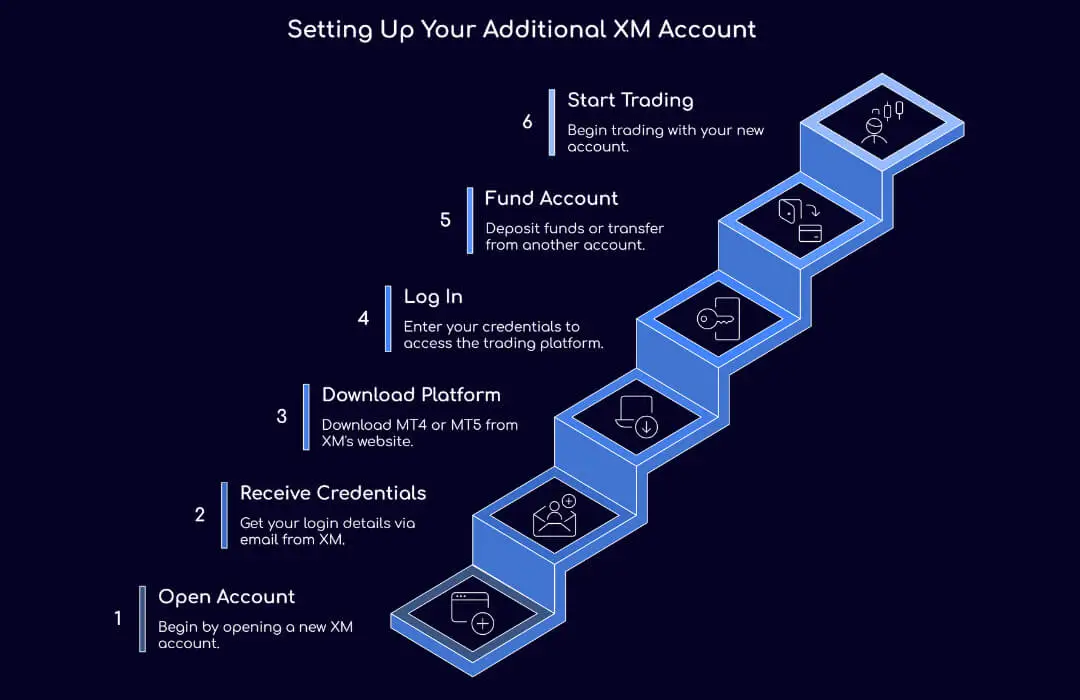
If you're funding your new account, you can do that in the Members Area. You can either deposit funds or transfer money from one XM account to another using the internal transfer option. Traders often use additional accounts to separate manual trading from EA strategies or high-risk scalping from long-term setups.
Why Open Multiple XM Accounts?
Opening multiple accounts is not just for flexibility; it is also prudent. Here are a few reasons it would make sense:
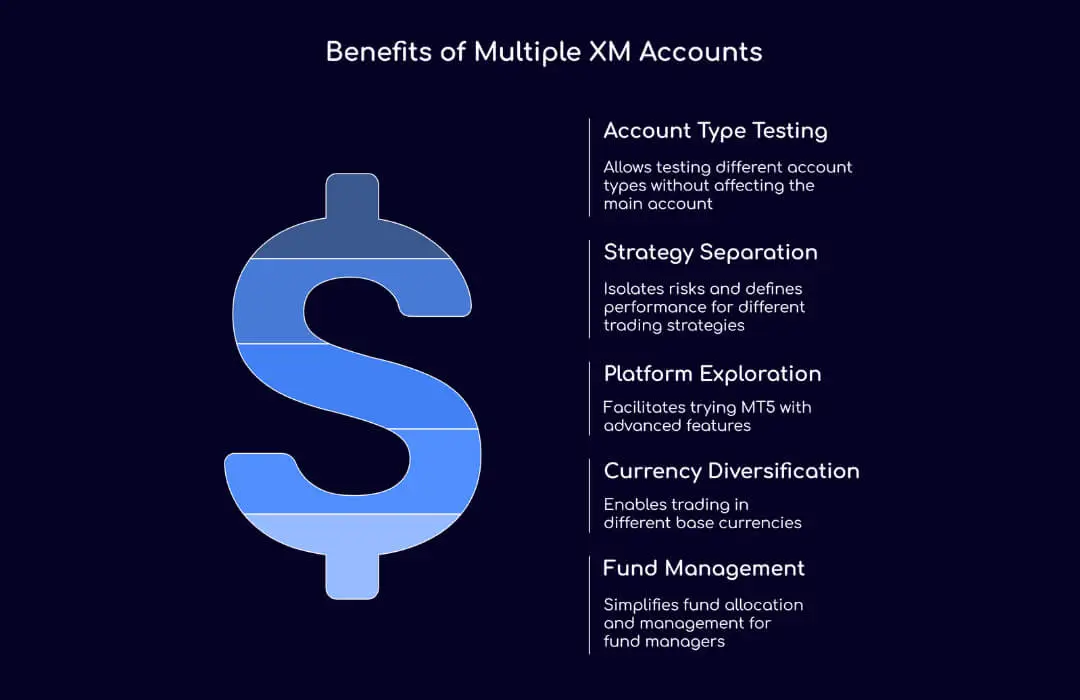
Try Different XM Account Types
Micro, Standard, XM Ultra Low, and Shares accounts. Each caters to a particular style of trading or trade volume. Trading with additional accounts will allow you to test out each account type without affecting your main account.
Strategy Separation
One account is for scalping while one is for swing trading. That way, you isolate risks define performance with more precision, and avoid overlapping analysis.
MT4 and MT5
If you are considering trying MT5 with features like depth of market or more order types, then an additional account is what you need.
Base Currency
XM lets you choose a different base currency for every account. Want to trade USD on one account and EUR on another? You can have that.
Clients' Funds
This is for the fund managers using XM’s advanced tools to manage multiple accounts, making fund allocation easier and more transparent.
XM Account Types Explained
Let's take a look at the main types of XM accounts so you can choose the right one for your new account.
There are four main types of accounts:
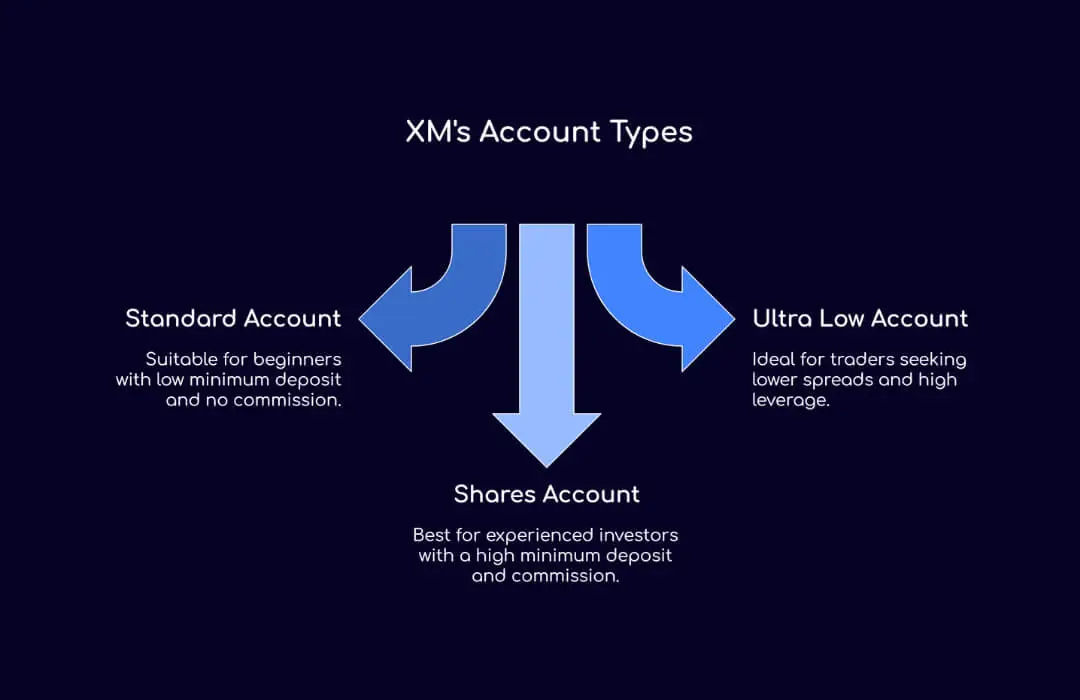
Standard Account
- $5 minimum deposit,
- 100,000 units per lot,
- Up to 1:1000 leverage,
- Spreads from 1 pip.
- No commission.
Ultra Low Account
- $5 minimum deposit
- Variable units per lot
- Up to 1:1000 leverage
- Spreads from 0.6 pips
- No commission.
Shares Account
- $10,000 minimum deposit,
- Per-share basis,
- Market-based spreads.
- Commission applies.
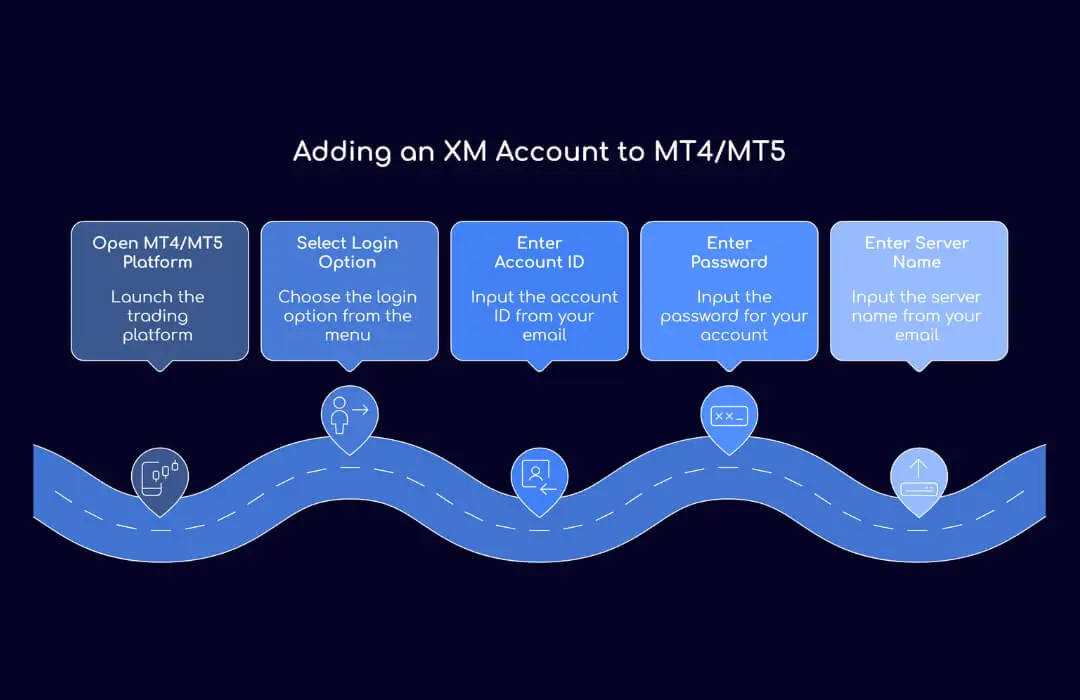
How to Add an XM Account to MT4 or MT5?
Adding a new account to MetaTrader is straightforward:
- Go to the platform (MT4 or MT5).
- Select File > Login to Trade Account.
- Enter:
- Account ID (as in your Email)
- Password
- Server name (also in-your-Email).
Still confused? XM has a detailed platform setup guide at Connect LiteFinance to MT5 Android Laptop — the steps are similar
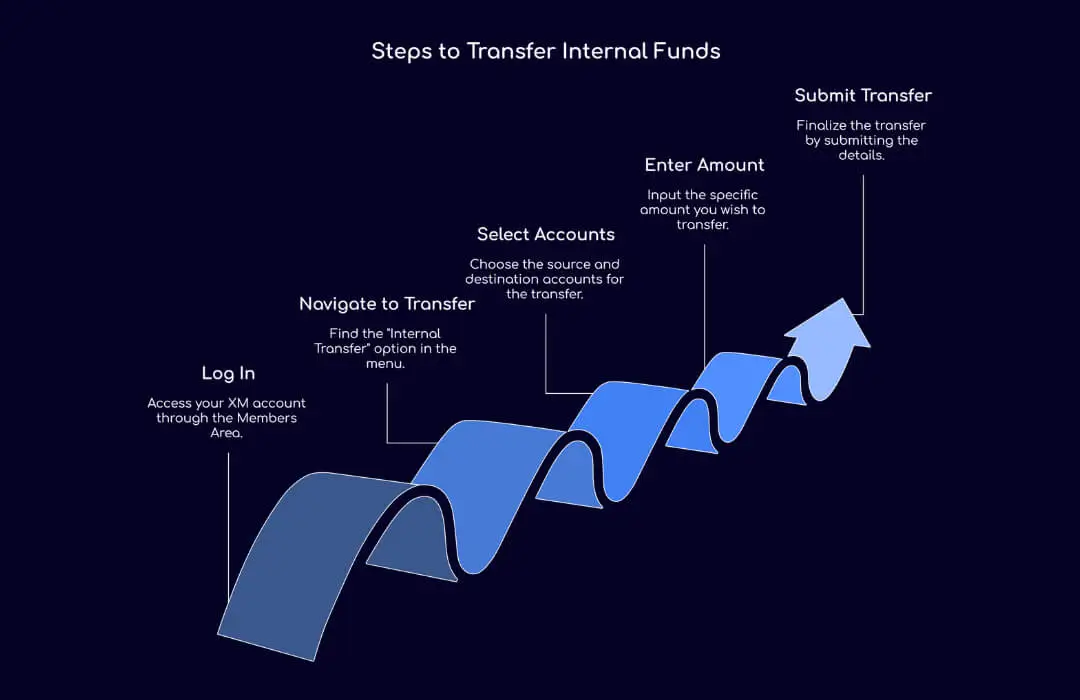
How to Transfer Money from One XM Account to Another?
Having multiple accounts will enable you to transfer funds from one to the other for free:
Procedure for Transfer:
- Log in to your Members Area.
- Go to "Internal Transfer".
- Select:
- From Account
- To Account
- Enter the amount to transfer.
- Submit.
Note: If the two accounts have different base currencies, XM will apply their internal exchange rate. If the two accounts have different base currencies, XM will apply their internal exchange rate.
FAQs
Can I Open an Additional Bank Account for XM?
Yes, many traders do. Opening an additional bank or e-wallet account (e.g. Skrill, Neteller, Payoneer) gives you more flexibility in depositing and withdrawing. This can also help you:
- Track expenses better
- Simplify local currency conversions
- Speed up funding and withdrawals
How to Delete or Close an XM Account?
If you no longer need an XM account, you can close it. Here’s what to do.
- First, go to your Members Area - My Accounts.
- From there select the account you want to close.
- You’ll then need to click “Close Account” or contact our support team.
Make sure the balance is zero before requesting account closure. You can contact Mx via Live Chat. - they are online 24/5.
Can I Have 2 XM Accounts?
The XM allowance lets you open multiple accounts. Actually, you can open up to 8. Our software keeps track of multiple trading accounts at once by grouping them under one profile. There are no restrictions on these accounts as long as you use them following our terms of service.
Related Broker Reviews and Guides
F. Nathan
Felix Nathan is a professional trader, market analyst, and business development executive with over a decade of experience in the forex and financial markets. Felix specializes in providing actionable market insights, trading strategies, and risk man...