
 IUX
IUX
 Exness
 Vantage
 XM
XM
 ICMarkets
 LiteFinance
 Moneta
 Tickmill
 South Africa (9)
 India (9)
 Bangladesh (12)
 Germany (9)
 Thailand (10)
 Philippines (9)
 Nigeria (10)
 Vietnam (10)
 Malaysia (9)





How Do I Register for an XM Account? (A Complete Guide)



Share:
Share:
Broker
6 min read
To enjoy the benefits of XM broker & start earning, you have to register an account first.
This guide details how to register an XM account, whether it be a real trading account, a demo account, or an account for the XM Partner Program.
We shall also go through identification, becoming familiar with the XM login page, and everything else to make your transaction smooth.
Why Trade with XM?
Before we get into the registration steps, let’s see why XM stands out:
- Managed under the top regulators like the Cyprus Securities and Exchange Commission (CySEC) — read more about "Is XM regulated?".
- Tight spread from 0.8 pips.
- Offers both MetaTrader 4 and MetaTrader 5.
- Free daily market analysis and educational webinars.
- Multilingual support in more than 30 languages from 24/5.
You may read more about the regulatory licenses of XM here: XM Regulatory Information.
How to Open an XM Account Online?
Follow these steps to open your XM account:
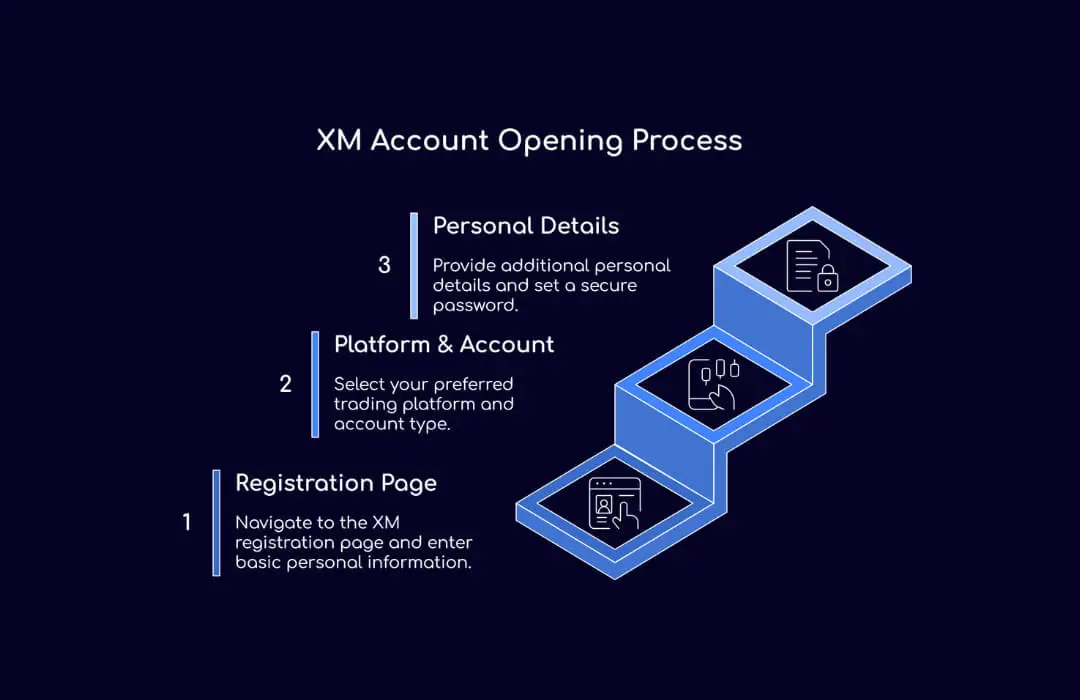
Step 1: Go to the XM Registration Page
Go to the XM registration page. You will have to give some basic information:
- First and last name (the same as in your ID).
- Country of residence.
- Language.
- Phone number and email address.
Make sure to give a working email address since you will receive all your account login details in this email.
Step 2: Choose Trading Platform and Account Type
XM gives you the option of MT4 or MT5. MT4 is recommended if one is just getting started in trading as it is much easier to use. MT5 may offer better tools for the advanced trader.
Account types include:
- Standard Account - For intermediate traders.
- Ultra Low Account - For traders who want lower spreads.
- Shares Account - For Traders who want to trade real shares
You can further read about account types here: XM Account Types Overview.
Step 3: Personal Details and Password
A few other personal details will now be requested from you. These will include:
- Date of birth
- The address must be the same as on your verification documents.
- Trading experience (for legal purposes)
- Password for the account
Choose a strong password that contains uppercase letters, lowercase letters, and numbers, and this is for your security.
How to Verify Your XM Account?
Once you have set up your profile, you still need to verify your real XM account for live trading. XM follows international KYC (Know Your Customer) standards.
What you need are:
- Proof of Identity: Passport or national ID card (must be government-issued and not expired).
- Proof of Residence: Utility bills, bank statements, or any government-issued document with a date within three months.
Once you have your documents, log in to the XM Member Area with your email ID and password. You will find the option "Upload Documents".
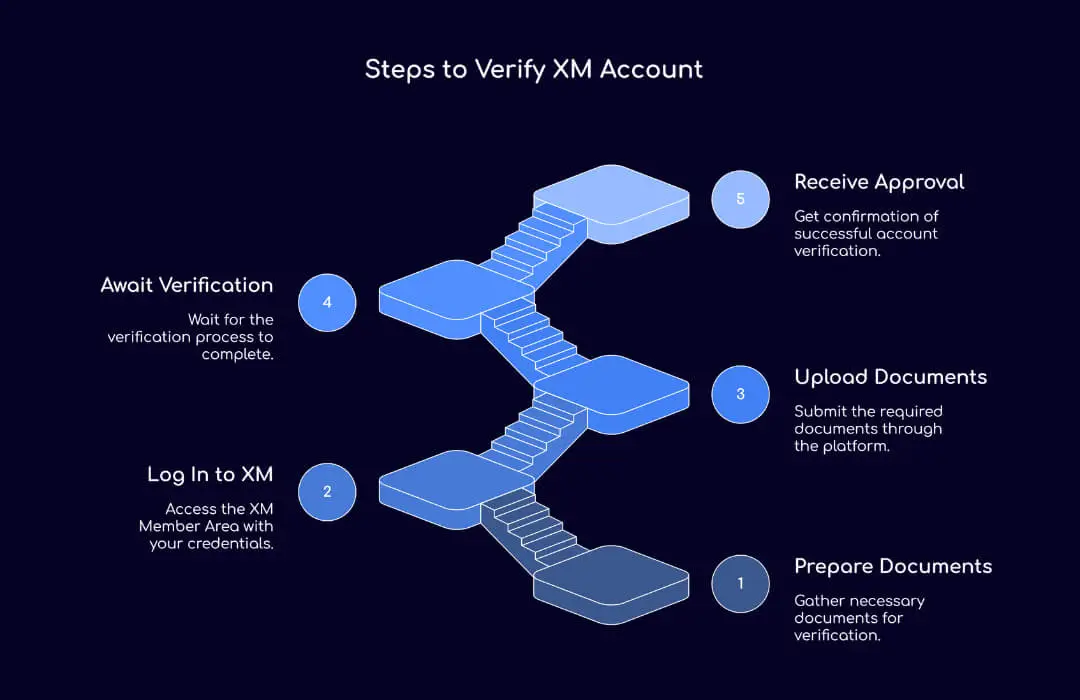
It takes up to 24 hours for verification. You will receive an email after approval.
For full details, see: XM Account Verification Documents.
How to Open an XM Demo Account?
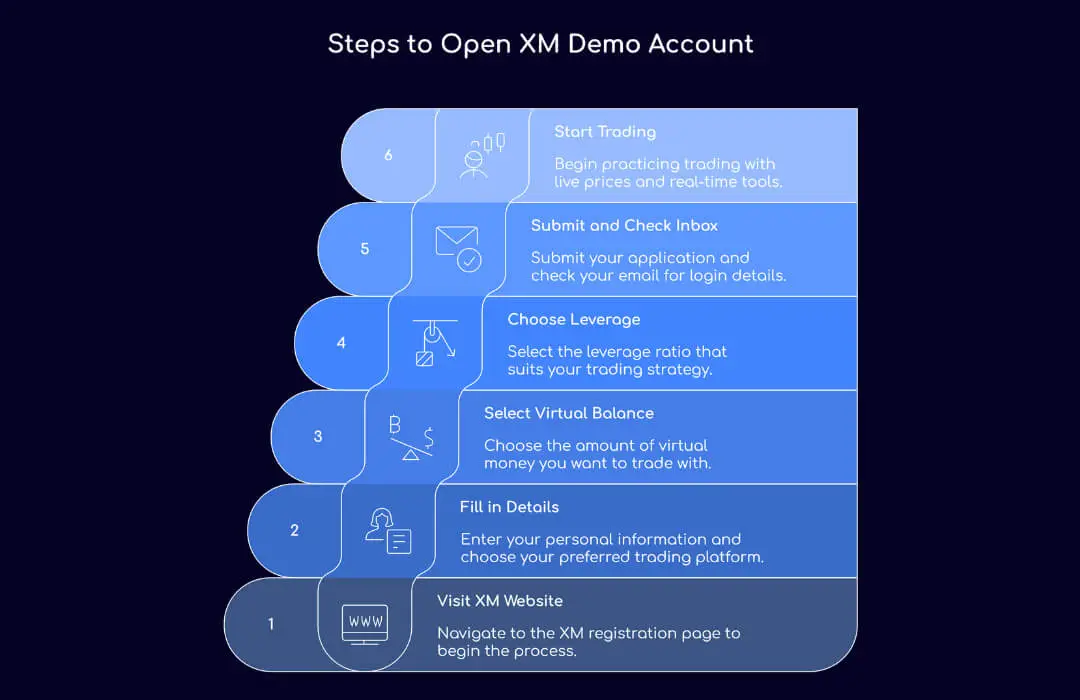
For a new trader or anyone who wants to try XM’s platform without any risk, opening a demo account is a good idea.
Steps to open an XM demo account:
- Go to XM website to register.
- Fill in your details and select MT4 or MT5.
- Select your Virtual Balance (up to $100,000).
- Select your Leverage (for ex. 1:1000, 1:500).
- Submit and check your inbox for your login credentials.
You will have unlimited sessions on the demo account to learn trading with XM at live prices and real-time charting tools.
Account Management: Post Registration
Once your account is activated and verified you can manage it through XM Members Area as follows:
What Client Portal Has:
- Deposit: Card, e-wallets and bank transfers.
- Withdrawal: 24 to 72 hours for withdrawal requests to be processed — see also XM Withdrawal Process and Fees.
- Download Platforms: MT4/5 for Desktop, Mobile or Browser.
- Bonuses: Deposit bonuses and No Deposit trading bonuses.
- Open More Accounts: You can manage multiple accounts from one profile.
- Check Your Performance: Account history, deposits, withdrawals and trades.
If you forgot your login details you can retrieve your password by clicking on "Forgot Password?" on the login screen.
Affiliate Sign-Up for XM Partner Program
Set for commissions as a broker partner? XM offers a highly lucrative affiliate program.
- Get to the XM Partner Portal.
- Click "Join Now".
- Fill in your affiliate information.
- Submit the form.
Once you are approved, you get to use promotional banners, tracking links, and your XM Partner login details. Partners could be earning $25/lot alongside multi-level commissions.
Account Funding & Withdrawal Options
Once your XM account is verified you can fund through several secure methods:
- Credit/Debit Cards (Visa, Mastercard)
- E-wallets (Skrill, Neteller)
- Bank Wire Transfer
- Local payment options (varies by country)
Minimum Deposit: $5
Deposits are processed instantly, and withdrawals take 24 - 72 hours, depending on the method.
XM Trading Platforms (MT4 & MT5)
Once you have your account set up you can trade on:
- Desktop platforms (Windows, Mac)
- WebTrader (browser-based)
- Mobile apps (iOS & Android)
You can download your preferred platform from:
If you’re only trading Forex, MT4 is enough. For a wider range of assets and more tools go for MT5.
| Feature | MT4 | MT5 |
|---|---|---|
| Usability | Beginner-friendly | Advanced traders |
| Instruments | Forex, CFDs | Forex, CFDs, Stocks, Futures |
| Indicators | 30+ | 38+ |
| Timeframes | 9 | 21 |
XM Account Types Breakdown
Here is a quick summary of each account offering:
| Account Type | Min. Deposit | Spreads From | Commission | Leverage |
|---|---|---|---|---|
| Micro Account | $5 | 1.0 pip | None | Up to 1:1000 |
| Standard Account | $5 | 1.0 pip | None | Up to 1:1000 |
| Ultra Low Account | $50 | 0.6 pip | None | Up to 1:1000 |
| Shares Account | $10,000 | Variable | Yes | 1:1 |
Negative balance protection is offered for each account, so you cannot lose more than you have deposited.
Troubleshooting Steps
- Login details not received?
Check your spam/junk folder; if none, contact XM Support.
- Is account verification not working?
Make sure that your documents are clear and valid and not expired. You may have to resubmit.
- The platform is not connecting?
Check your internet connectivity, or try to log in through WebTrader.
Final Words
Opening an XM account is fast, secure, and free. Be it for the beginner trader who wants to try with a demo account or for the professional one ready to come along with specifications, XM has world-class tools, global regulation, and competitive spreads.
FAQs
May I open more than one XM account?
Yes, there can be many accounts under the same name for the same person. Adding more accounts is simple via the client portal — see Open Additional XM Account.
How long does verification take?
Under 24 hours, provided your documents are valid and clear.
Is XM in my country?
XM operates in most countries, but you may check list whether in your country or not.
Related Broker Reviews
F. Nathan
Felix Nathan is a professional trader, market analyst, and business development executive with over a decade of experience in the forex and financial markets. Felix specializes in providing actionable market insights, trading strategies, and risk man...