
 IUX
IUX
 Exness
 Vantage
 XM
XM
 ICMarkets
 LiteFinance
 Moneta
 Tickmill
 South Africa (9)
 India (9)
 Bangladesh (12)
 Germany (9)
 Thailand (10)
 Philippines (9)
 Nigeria (10)
 Vietnam (10)
 Malaysia (9)




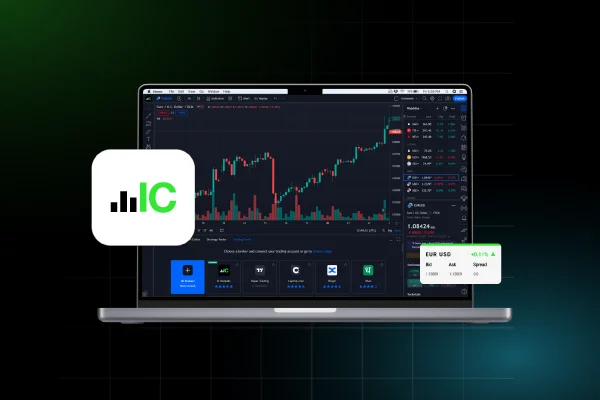







Most trading errors are not strategy errors. They are calculation errors. A trader who knows their setup but guesses their position size, estimates their pip value, or misses a major economic release because they were not tracking the calendar will produce worse results than their strategy deserves. Trading tools exist to remove that gap.
At TopAsiaFX, we maintain a free set of calculators and resources designed for traders at every level. None of them require sign-up. They handle the arithmetic so your attention stays on the decision, not the math behind it.
This guide covers every tool type available, how each one works in practice, and when to use them. For broker-specific tools and platform features, see the best trading platform brokers comparison. For calculators to evaluate trading costs, see the broker comparison tool.
What Are Trading Tools?
Trading tools are calculators, platforms, calendars, and analytical resources that handle specific parts of the trading workflow so you do not have to do them manually.
They fall into two categories: tools that help you prepare before a trade (calculators, economic calendars, scanners) and tools that help you monitor and manage after a trade is open (risk management tools, news feeds, performance trackers).
The value is not in having more tools. It is in using the right tools consistently. A trader who always calculates position size before entering, always checks the economic calendar before holding through a news release, and always reviews their trade history at the end of the week will outperform an identical strategy run without those habits.
Trading Tool Categories at a Glance
| Tool Type | What It Does | When to Use It |
|---|---|---|
| Calculators | Computes pip value, position size, margin, profit or loss, and swap cost | Before every trade to confirm sizing and expected outcomes |
| Economic Calendar | Lists scheduled data releases and central bank events that move markets | Every morning before trading and before holding through a news window |
| Charting Tools | Displays price history with indicators to identify trends and entry points | During market analysis and trade setup development |
| Scanners and Screeners | Filters thousands of instruments to find those meeting your criteria | When looking for new opportunities without manually reviewing each asset |
| Risk Management Tools | Stop loss, take profit, trailing stops, and position size limits | When opening a trade and throughout its duration |
| AI and Automation Tools | Analyzes data, identifies patterns, and executes trades automatically | When running systematic strategies or managing multiple markets simultaneously |
| News and Sentiment Tools | Tracks market-moving news and measures trader sentiment in real time | Before and during high-volatility periods, event-driven strategies |
Calculators
Calculators are the most directly useful tools for any trader at any level. Every trade has three numbers that matter before entry: how much you are risking, where your stop is, and what lot size produces the correct risk amount. Calculating any of these mentally under pressure produces errors. A calculator produces the same answer every time in under 10 seconds.
Pip Calculator
A pip calculator tells you the exact monetary value of one pip movement on a specific currency pair at a specific lot size. This number is not the same for every pair. On EUR/USD with a standard lot, one pip is worth $10. On USD/JPY, the calculation differs because the quote currency is different. On exotic pairs, the pip value can vary significantly from the major pairs.
Knowing the pip value before you set a stop loss is essential because it converts 'I am risking 20 pips' into 'I am risking $X', which is the number that matters for position sizing. Without a pip calculator, traders regularly set stop losses at distances that risk more than their strategy intends.
Expert Tip: Calculate pip value before calculating position size, not after. The pip value is the input to the position size calculation. Getting the order wrong produces incorrect position sizes regardless of how carefully the rest of the math is done.
Lot Size Calculator
A lot size calculator takes three inputs: your account balance, the percentage of that balance you are willing to risk on the trade, and the distance in pips to your stop loss. It outputs the correct lot size to trade so that if the stop is hit, you lose exactly the intended percentage of your account.
This is the single most important calculation in trading. Consistently risking 1% per trade on a $1,000 account means each losing trade costs $10. A 10-trade losing streak reduces the account to $904.
The same losing streak with inconsistent position sizing that averages 3% per trade reduces the account to $737. The strategy is identical. The sizing discipline produces a $167 difference in 10 trades.
The lot size calculator removes the temptation to size based on feel or round numbers. It forces every entry to meet the same risk standard.
Profit and Loss Calculator
A profit and loss calculator shows the expected outcome of a trade in dollar terms given an entry price, exit price, and lot size. It answers the question 'if this trade reaches my target, how much do I actually make?' before the trade is placed.
Knowing this in advance prevents the common experience of reaching a target and finding the profit was smaller than expected because the position size or pip value was different from assumed.
Margin Calculator
A margin calculator shows how much of your account balance will be held as collateral when a position is open at a given lot size and leverage level. It confirms that opening a trade leaves enough free margin to survive a normal drawdown before hitting a margin call.
Traders who do not check margin before entering positions are frequently surprised by forced closures during normal volatility.
Swap Calculator
A swap calculator shows the overnight financing cost or credit that applies when a position is held past the daily rollover. On some pairs and in some directions, the swap is positive, meaning you earn a small amount per night.
On others, particularly on exotic pairs or against the interest rate differential, the swap cost can be significant over days or weeks. Traders who hold swing positions without checking swap costs often find that financing costs have materially affected their actual returns.
Economic Calendar
An economic calendar lists scheduled financial events, data releases, and central bank meetings along with the expected impact each will have on specific currency pairs or asset classes.
It is organized by date and time and typically shows whether the impact is low, medium, or high based on historical market reaction to the event type.
High-impact events include: Non-Farm Payrolls (NFP), Consumer Price Index (CPI) releases, Federal Reserve and ECB rate decisions, GDP reports, and employment data.
These events can move major currency pairs by 50 to 200 pips in seconds. A trader holding a position without knowing one of these events is scheduled is taking a risk that is not part of their strategy.
How to use it practically. Check the calendar every morning before opening the trading platform. Identify any high-impact events scheduled for that day and the pairs they affect.
Decide in advance whether your strategy involves trading through news releases, avoiding them, or closing positions before them. Most traders without a specific news-trading strategy avoid entering new positions in the 30 minutes before and after a high-impact release on the affected pairs.
Expert Tip: Filter the economic calendar to show only high-impact events and your specific trading region. The full calendar contains hundreds of entries most of which have no meaningful market impact. Filtering to what matters prevents the calendar from creating analysis paralysis rather than clarity.
Charting and Technical Analysis Tools
Charting tools display price history in visual form and allow traders to apply indicators, draw support and resistance levels, and identify patterns that guide trade decisions.
The four most widely used chart types are candlestick, bar, line, and Heikin-Ashi. Each presents the same underlying price data differently, and traders choose based on how they prefer to read market structure.
Technical indicators calculate and display specific measurements of price behavior. The most commonly used categories are trend indicators (moving averages, MACD), momentum indicators (RSI, Stochastic), volatility indicators (Bollinger Bands, ATR), and volume indicators.
No indicator predicts price with certainty. Their value is in providing a consistent, objective measurement that can be applied across different time periods and instruments.
MT4 and MT5. The MetaTrader platforms include 30+ built-in indicators and allow custom indicators to be added from a large community library. MT4 covers 9 timeframes. MT5 covers 21.
Both run natively on desktop and through mobile apps. See our MT4 brokers and MT5 brokers pages for broker-specific implementation details.
cTrader. Built for execution speed with a clean charting interface that handles multiple simultaneous open charts without lag. Includes Level 2 market depth data for instruments where the broker provides it.
TradingView. The strongest pure charting environment available in retail trading. 100+ built-in indicators, Pine Script for custom strategies, multi-timeframe analysis, and a large community of published scripts and ideas.
TradingView integrates directly with IC Markets and several other brokers for order execution.
Scanners and Screeners
Scanners and screeners filter large numbers of instruments down to a specific list that meets your criteria. A screener typically works with end-of-day or historical data and is used for advance planning. A scanner updates in real time and alerts you when conditions are met on a live market.
For forex traders, common scanner criteria include: pairs approaching support or resistance levels, pairs where RSI has crossed above or below specific thresholds, pairs showing unusual volatility relative to their average, and pairs where a specific moving average crossover has just occurred.
The practical benefit is time. A forex trader interested in 28 major and minor pairs cannot manually review each one on multiple timeframes. A scanner completes that review in seconds and surfaces only the pairs currently meeting the entry conditions.
Risk Management Tools
Risk management tools define the boundaries of every trade. They are not optional features. They are the mechanism by which a strategy with a positive expected value survives long enough to realize that value.
A strategy that wins 55% of trades but has no risk limits will eventually encounter a losing sequence that ends it before the edge has time to compound.
Stop loss orders. A stop loss closes the trade automatically if the price moves a defined distance against the position. It converts 'I might lose a lot on this trade' into 'I will lose exactly this amount on this trade'. Every trade should have a stop loss defined before the entry is placed.
Take profit orders. A take profit closes the trade automatically when the target price is reached. It removes the need to monitor the trade continuously and prevents the common pattern of watching a winning trade give back gains because an exit was not pre-planned.
Trailing stops. A trailing stop moves the stop loss level as the trade moves in your favor, locking in profits while allowing the trade to continue running. The stop moves up with the price but never moves back down if the price reverses. This lets profitable trades run longer without the risk of giving back the full gain.
Trading journals. A trading journal records every trade with the entry reason, entry price, exit price, position size, and outcome. Reviewed weekly, a journal reveals the actual performance of your strategy rather than your impression of it.
Common Discoveries: that certain pair setups perform differently from others, that specific session times produce better results, or that a particular mistake recurs with identifiable frequency.
Expert Tip: Review your trading journal after every 20 trades, not after every trade. Single trade results contain too much noise to draw conclusions. Patterns become visible across 20 trades. Decisions based on single outcomes lead to constant strategy changes that prevent any approach from having time to demonstrate its actual edge.
AI and Automation Tools
Automated trading tools execute trades based on pre-defined rules without requiring manual intervention. In MT4 and MT5, these are called Expert Advisors (EAs). In cTrader, they are cBots.
The rules can range from simple moving average crossovers to complex multi-condition strategies involving multiple indicators and time filters.
The primary advantage is consistency. A well-designed automated strategy executes identically on the 1,000th trade as on the first. It does not deviate from the rules because of fatigue, frustration, or overconfidence. It processes information faster than manual trading allows and can monitor multiple instruments simultaneously.
AI-powered tools go further by identifying patterns in large historical data sets that are not visible to manual analysis, generating trading signals based on those patterns, and in some cases adapting parameters based on changing market conditions.
Popular AI-enhanced platforms used by retail traders include TradingView AI indicators, MetaTrader 5 with machine learning EAs, TrendSpider, and Tickeron.
What automation cannot do. Automated tools cannot account for unpredictable structural market changes, geopolitical events with no historical precedent, or conditions that fall outside the data on which the strategy was developed.
All automated strategies require regular review and adjustment. An EA that performed well in trending 2021 markets may perform differently in the ranging conditions of 2024.
News and Sentiment Tools
News tools deliver real-time market-relevant headlines with filtering by asset class, region, and impact level. For traders who rely on fundamental analysis or trade around economic events, a reliable news feed is as important as a charting platform.
Sentiment tools measure the aggregate position or bias of market participants toward a specific instrument. Common sentiment indicators include the Commitment of Traders (COT) report, which shows how large institutional and retail traders are positioned in futures markets, and broker-specific sentiment indicators that show the percentage of retail accounts long or short on a given pair.
Sentiment is not a timing tool. Knowing that 70% of retail traders are long EUR/USD does not tell you when the price will move against them. It tells you the structural positioning of the market, which is useful context for directional analysis alongside technical and fundamental signals.
Building a Practical Tool Stack for Your Trading
The right tool stack depends on your trading style. Here are three practical configurations:
| Trading Style | Essential Tools | Optional Additions |
|---|---|---|
| Beginner | Lot size calculator, pip calculator, economic calendar, MT4 or MT5 with demo account | Trading journal, profit calculator |
| Active Day Trader | Lot size calculator, real-time scanner, economic calendar, cTrader or MT5, news feed | Sentiment indicator, trailing stop setup, swap calculator for overnight holds |
| Algorithmic / Systematic | EA or cBot strategy, backtesting tool (MT5 Strategy Tester), VPS hosting, swap calculator | AI analytics for optimization, correlation tracker, margin calculator |
Regardless of trading style, two tools apply universally: the lot size calculator before every trade, and the economic calendar every morning. These two habits alone remove a significant proportion of the avoidable errors that cost traders money.
Common Mistakes When Using Trading Tools
Using too many indicators simultaneously. Adding five or more indicators to a chart creates conflicting signals rather than clarity. Indicators derived from the same underlying data (price) often agree with each other by construction.
This creates a false impression of confirmation. Two or three well-understood indicators are more useful than ten that are not fully understood.
Skipping position size calculation. Estimating lot size by rounding to a familiar number is one of the most reliable ways to take more risk than intended. The lot size calculator takes 15 seconds. The difference between a calculated size and an estimated one can be 50% or more of the intended risk.
Ignoring the economic calendar before news. A trader entering EUR/USD at 1:29 PM without knowing NFP is scheduled for 1:30 PM is not executing a strategy. They are gambling on an outcome they did not plan for. The economic calendar takes 30 seconds to check each morning.
Treating backtested results as live performance predictions. A strategy that returned 200% in backtesting over three years is showing performance in historical data, not a prediction of future live performance.
Backtesting parameters, broker execution, and actual market conditions differ. Always forward-test on a small live account before scaling any automated or systematic strategy.
Not maintaining a trading journal. Trading without a journal means evaluating performance based on memory, which selectively recalls winning trades and underweights losing patterns. A journal produces actual data. Actual data produces real improvement over time.
Broker-Specific Tools and Features
Many brokers offer built-in tools beyond standard platform features. These include VPS hosting for automated strategies, integrated economic calendars, copy trading platforms, and risk management dashboards. The tools available vary significantly by broker.
Best trading platform brokers covers MT4, MT5, cTrader, and TradingView integration quality by broker. Best MT4 brokers and best MT5 brokers detail EA compatibility and backtesting infrastructure for each broker.
Best scalping brokers covers VPS availability and execution quality for high-frequency tool-dependent strategies.